How to write an AI prompt that doesn't look “AI”
Realistic results come from describing a real camera and a real moment — not from the word “realistic.” Lock the subject, name the camera's flaws, script the shot in beats, and say what to avoid.
A plain-English glossary of the words you keep seeing in AI image and video — reference image, pose sheet, depth map, img2vid, seed, LoRA, upscale, aspect ratio, LUT, negative prompt — each in a sentence or two, with why it matters.
Every corner of AI image and video has its own vocabulary, and most guides use the words without ever defining them. This is the short dictionary — each term in plain English, plus why you'd care. Skim it, or keep it open while you work.
The text instruction you give the model describing what to make. A good prompt is specific and structured — subject, setting, camera, mood — not a pile of adjectives.
An image you feed the model as an anchor, so the output matches a specific character, style or composition. It's the main way to keep a character looking the same across different generations.
A grid of the same character in a numbered sequence of poses, made by an image model. You hand it to a video model and tell it to animate the panels in order — a reliable way to keep motion on-model.
A grey, shape-only version of an image or clip that records how near or far things are, ignoring color and texture. Used as a motion reference, it lets you borrow a real clip's movement and framing while putting your own character in the shot.
Generating a video that starts from a still image instead of from text alone. The image sets the look and the first frame; the prompt describes how it should move. (Text-to-video, by contrast, starts from words only.)
A number that sets the random starting point for a generation. Reuse the same seed with the same prompt and you get a near-identical result — handy for making small, controlled tweaks instead of a brand-new image every time.
A small add-on trained on a specific character, style or subject that you load on top of a base model to make it reliably produce that look. Think of it as a lightweight "style pack" for the model.
It enlarges an image or video and fills in detail, turning a small or soft result into a sharper, higher-resolution one. It's a finishing step, not a fix for a bad composition.
The shape of the frame — width to height. 16:9 is widescreen (YouTube, TV), 9:16 is vertical (Shorts, Reels, TikTok), 1:1 is square. Set it to match where the video will be seen; many tools do better with 9:16 or 3:4 for phone-first content.
A "look-up table" — a saved color recipe, usually a .cube file, that remaps an image's colors to a particular look. Apply one in your editor to give clips a consistent cinematic grade in a click.
A list of what you don't want in the output — extra fingers, morphing faces, on-screen text, added music. Front-loading it steers the model away from the failures it tends to make.
Two ways a model can use a reference face. Pixel-copy stamps down the exact pixels (often low-res or stiff). Identity gives the model enough to recognize who it is and lets it re-render a fresh, clean face that still reads as the same person — usually the better result.
That's the core set. Most AI tool menus and tutorials are just these words in different combinations — once they're familiar, the rest of the jargon falls into place.
Img2vid, or image-to-video, means generating a video that starts from a still image rather than from text alone. The image sets the look and first frame, and the prompt describes how it should move.
A seed is a number that fixes the random starting point of a generation. Reusing the same seed with the same prompt gives a near-identical result, which lets you make small controlled changes instead of a completely new image each time.
A LoRA is a small add-on trained on a specific character, style or subject that you load on top of a base model so it reliably produces that look — essentially a lightweight style pack for the model.
Upscaling enlarges an image or video and fills in detail to make it sharper and higher-resolution. It's a finishing step and won't fix a weak composition — only the resolution.
Match it to where the video will be seen: 16:9 for widescreen like YouTube, 9:16 for vertical Shorts, Reels and TikTok, and 1:1 for square feeds. Phone-first content usually does best in 9:16 or 3:4.
Realistic results come from describing a real camera and a real moment — not from the word “realistic.” Lock the subject, name the camera's flaws, script the shot in beats, and say what to avoid.
There's no single best AI video model — there's a best one for the shot. Here are the eight creators actually reach for (Veo, Sora, Kling, Runway, Hailuo, Seedance, Vidu, FLUX 3), what each is good at, and why the same model can cost 2–3× more depending on where you run it.
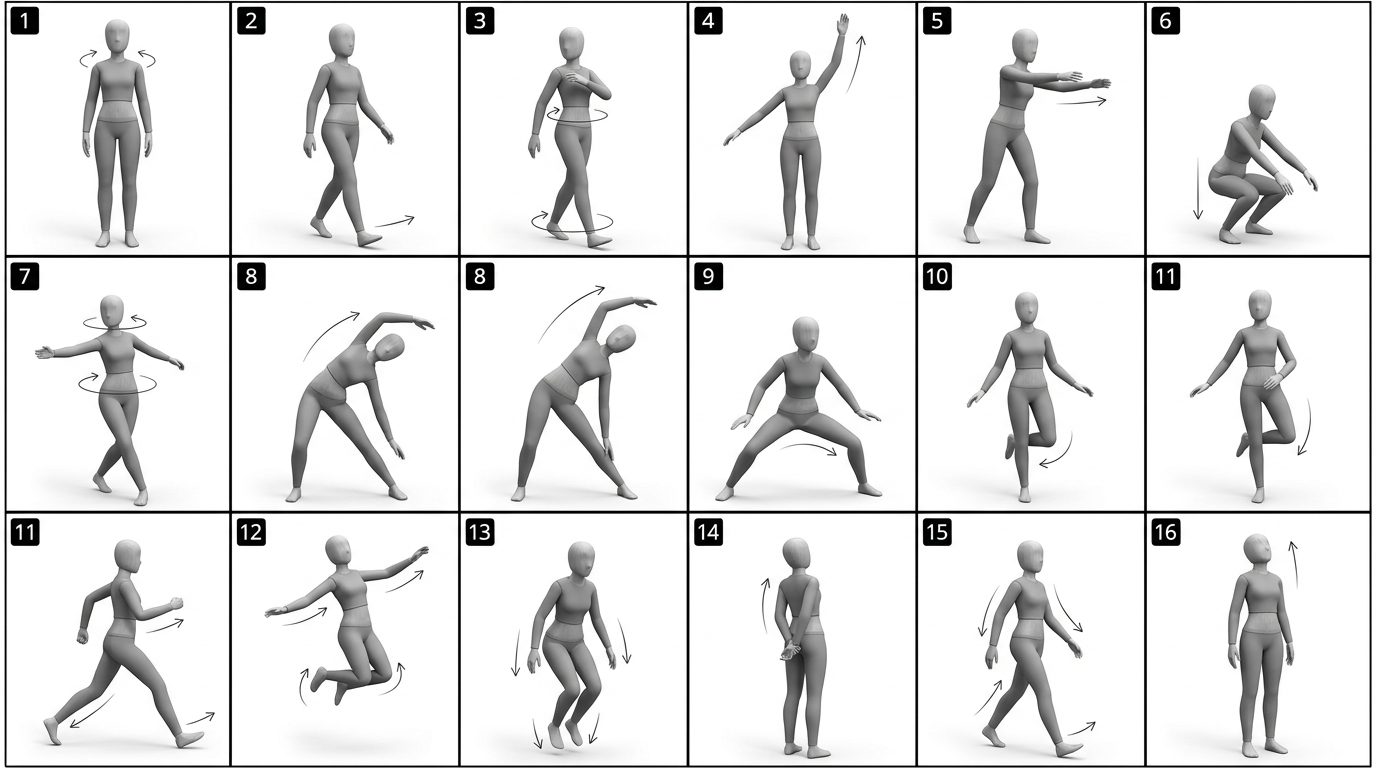
Character consistency comes from giving the model a reference it can't drift from — a reference image, a pose sheet, or a depth map of a real clip — and letting a video model regenerate the identity instead of copying pixels.